

Live ChatNew
Live chat for every one of your websites, in one inbox
aiKit Live Chat puts a live chat widget on any website and brings every conversation into one shared inbox, with an assistant that answers from your own pages when nobody is online and passes the chat to a person when it isn't sure.
Free account, no card. Already using aiKit? Log in to open Live Chat

What you get
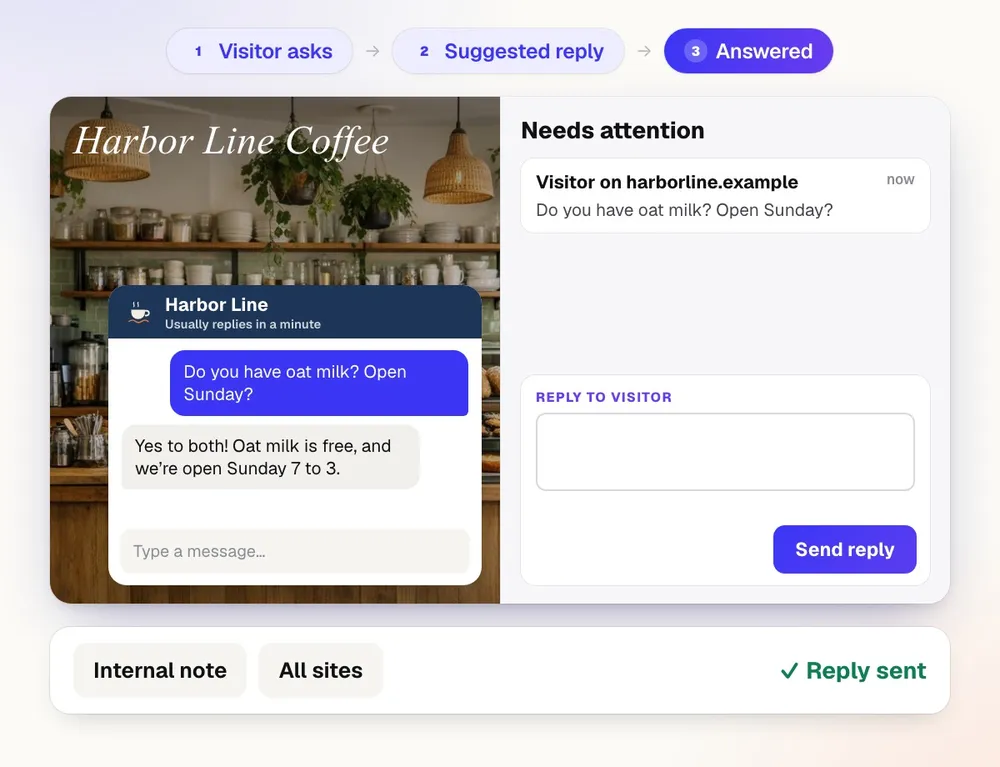
Answer visitors on every one of your websites from one shared inbox, with an assistant that answers from your own pages when nobody is online.
One line on any website
Paste one line into any site, built in aiKit or anywhere else. Each site gets its own name, greeting, colors, logo and hours.
Every site, one inbox
Chats from all your sites land in one inbox with Needs a reply, Waiting and Missed views, search, notes, saved replies and assigning. A new site can start as a copy of one you already set up.
Full chat or just chat
Pick per site: the full chat with quote buttons and the assistant, or Chat only, a plain conversation with your team and nothing else.
An assistant that only answers from your words
When nobody is online, the assistant (named Kit unless you rename it) answers only from your website, documents and Q&A, is labeled Automated, and hands the chat to a person when it isn't sure.
Closed doesn't mean lost
Office hours with holidays and a time zone. When nobody answers, visitors see your Quote, Estimate and Send a message buttons.
Sell from the chat
Save a visitor as a contact and send a quick quote they can accept, without leaving the conversation.
Never miss a chat
Alerts by email, text message and phone push for new and unanswered chats, and translation your team turns on when a visitor writes in another language.
Every feature
Everything in Live Chat
The complete list, from the tool as it works today.
- One line to add the chat to any website, with its own name, greeting, colors, logo and hours per site; a new site can start as a copy of one you have
- Full chat or Chat only per site: Chat only is just the conversation, with no buttons and no automatic answers
- One inbox for all your sites: needs a reply, waiting, missed, search, notes, saved replies and assign
- Office hours with holidays and a time zone; when nobody answers, the visitor sees your Quote, Estimate and Send a message buttons
- An assistant (named Kit unless you rename it) that answers only from your website, documents and Q&A when nobody is online, labeled Automated, and hands off honestly when it isn't sure
- Suggested replies for your team when you're online, exact published quantity prices from your price list, and topics that always go to a person
- Save a visitor as a contact and send a quick quote they can accept, right from the chat
- Alerts by email, text message and phone push for new and unanswered chats
- Translation your team turns on per chat when a visitor writes in another language
What’s included
What you get with Live Chat, and how it works with the rest of aiKit
What Live Chat includes
Live Chat starts on the Pro plan, which includes 1 website. Team includes 3, Business 5 and Agency 10. Free and Starter accounts can look around aiKit, but they don't switch chat on for a website.
- The chat widget, the shared inbox, office hours and after-hours buttons
- The assistant that answers from your own pages, documents and Q&A
- Saved replies, notes, assigning, search and alerts
- Quick quotes from a chat
- Full chat or Chat only per site, and new sites copied from one you already have
What uses AI, and what’s free
Assistant answers, suggested replies and translation use your AI allowance; the inbox shows what each one used. The widget, inbox, hours, alerts and saved replies use none.
Works with your other aiKit tools
- Your websites: Turn chat on for any site you host in aiKit, or paste one line into a site hosted anywhere.
- Quote Studio: Send a quick quote the visitor can accept from inside the chat.
Keep Live Chat in any of your kits, next to the tools you use with it. One monthly AI allowance covers every tool you add.
How it works
From first click to finished, in 4 steps.
1. Add the chat to your site
Copy one line into your website, or turn it on for a site you host in aiKit, and set the name, greeting, colors and hours.
2. Teach the assistant
Point it at your website, add documents and Q&A, and pick the topics that always go to a person.
3. Answer from one inbox
Reply to every site from one inbox, with suggested replies, saved replies, notes and assigning.
4. Turn chats into work
Save the visitor as a contact, send a quick quote they accept, or let the after-hours buttons collect quote and estimate requests.
Who it’s for
How different businesses use Live Chat
Every client site, one inbox
An agency adds chat to 12 client websites and answers them all from one inbox, with each chat tagged by its site.
Leads after hours
A plumbing company's chat shows Quote and Send a message buttons at night, so the morning starts with a list of real jobs.
Price questions answered right
A print shop's assistant quotes exact published quantity prices from its own price list and passes custom jobs to a person.
Questions before people buy
An online shop answers shipping and sizing questions from its own pages while the team sleeps.
Buyers who write in another language
An agent turns on translation for a buyer who writes in Spanish and keeps the whole conversation in one thread.
Ideal for
- Businesses that get questions before people buy or ask for a quote
- Owners who run more than one website and want one inbox
- Teams that can't watch a chat window all day
Good to know
- Not for: Email, text and social messages in the same inbox (coming later)
- Not for: Looking up a customer's order inside the chat (coming later)
- Sites included: 1 on Pro ($48.88), 3 on Team, 5 on Business, 10 on Agency. After a move to a smaller plan, the newest sites pause until you change plan.
- The "Powered by aiKit" line shows on Pro and can be turned off from Team.
- Assistant answers and translation use your AI allowance; the meter shows what each one costs.
- The assistant can be wrong. It only answers from what you give it, and every answer can be fixed or removed from the inbox.
Good to know
Before you use Live Chat
Tell visitors, and check what the assistant says. Tell visitors the chat is recorded and may be answered by AI. Check your state's recording-consent law. AI answers can be wrong, so do not let chat promise prices or bookings you have not confirmed.
Questions
Live Chat: questions people ask
What's the best live chat widget for a website with several locations or brands?
Can an AI chat assistant answer customers when I'm closed?
Does aiKit Live Chat work on websites not built in aiKit?
Can my team get alerts for new chats on their phones?
Can I send a customer a quote from a live chat?
Is there a live chat tool that's part of a bigger business toolkit?
Can I add a simple live chat to my website without AI or extra buttons?
How does the assistant learn about my business?
Does Live Chat translate conversations?
What should I tell visitors about live chat?
How do I add aiKit Live Chat to my website?
Can I answer chats from several websites in one inbox?
Can the Live Chat AI write a draft instead of answering when we're closed but someone is online?
What happens when nobody is available to chat?
Does the AI assistant make things up?
Works well with
Tools to add to the same kit
Your websites
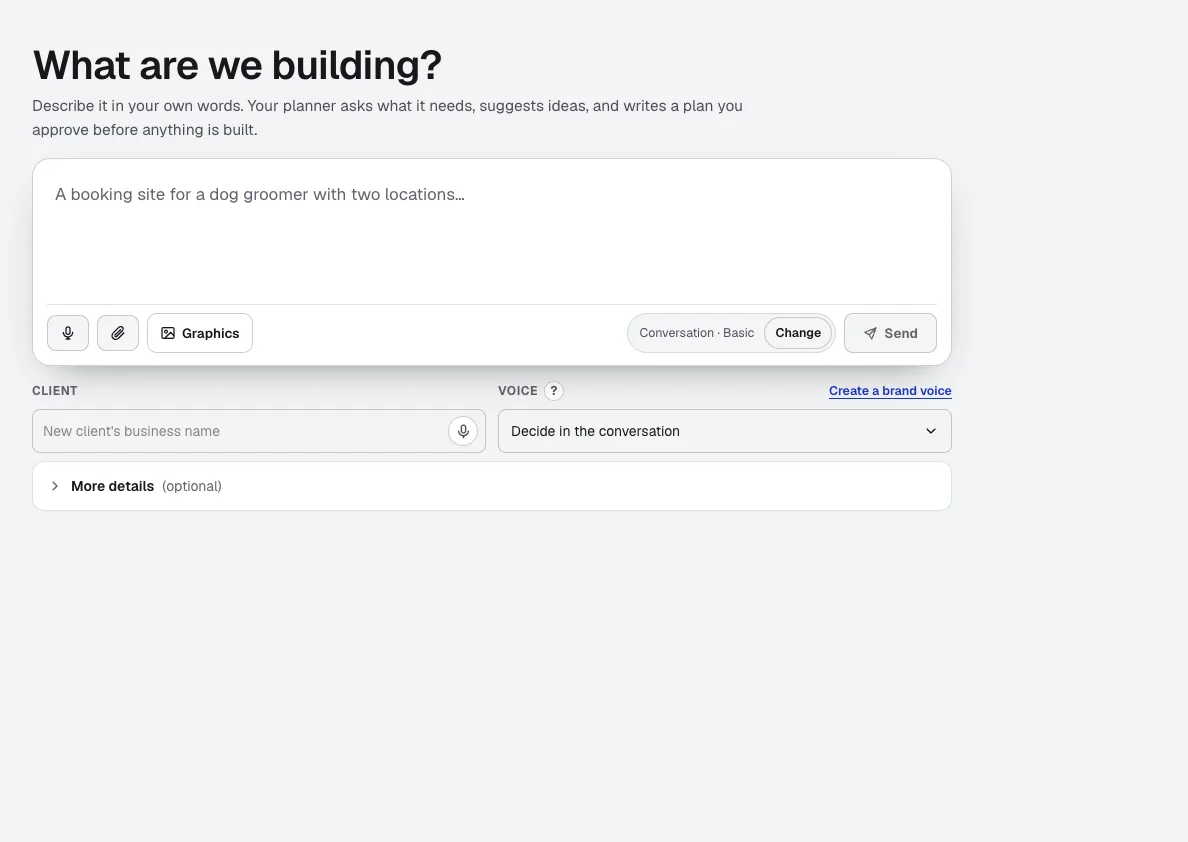
aiKit is an AI website builder with hosting: it plans the pages, writes the copy, builds the site and hosts it. Every later change is a request in your own words, saved as a version you can undo, for your own business or for every client you run sites for.
Quote Studio
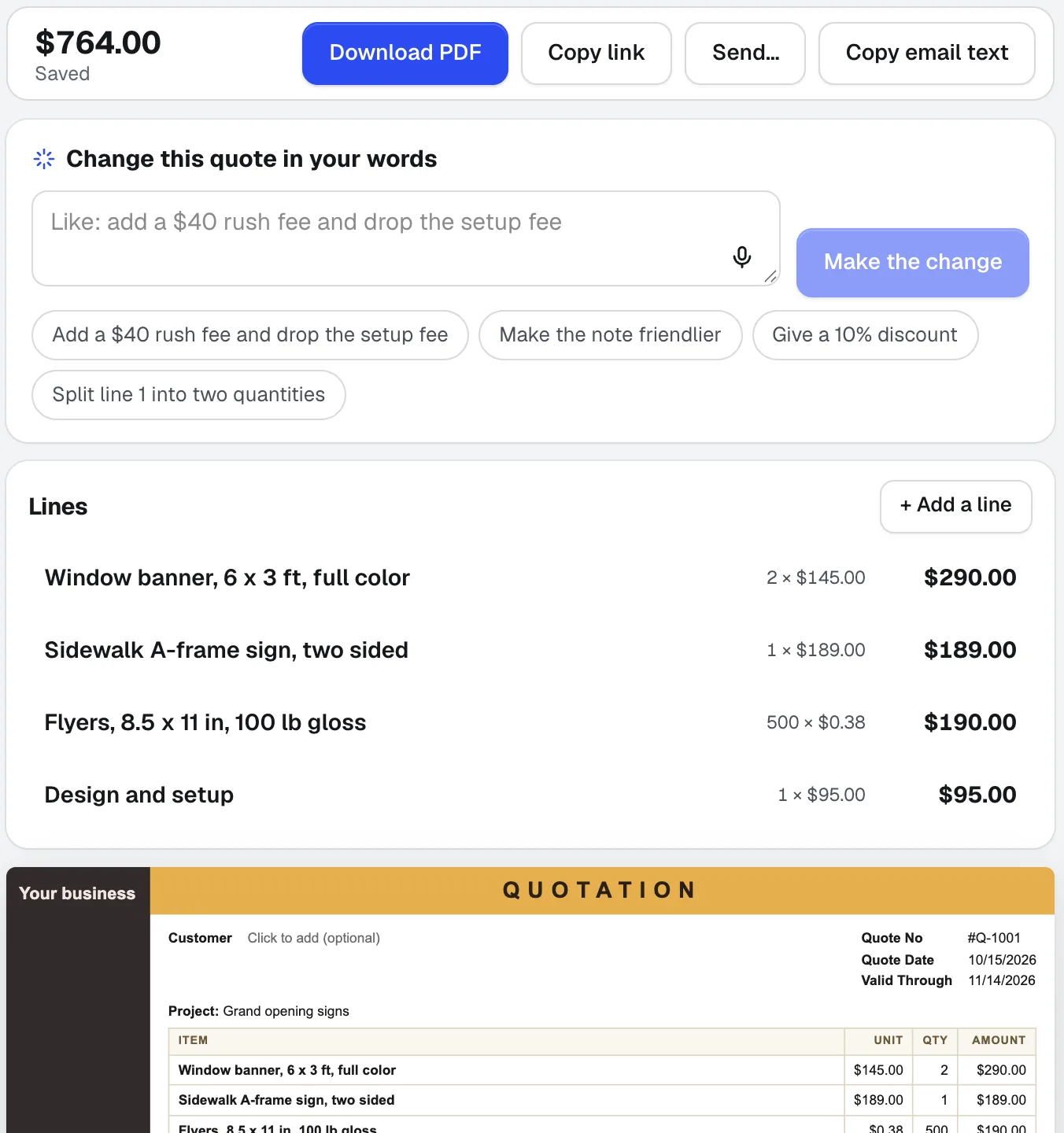
NewPaste a customer's email, dictate the job, or add a photo of a handwritten list. Quote Studio is quoting software that drafts a one-page quote using only your own prices, then you download the PDF or send a live page your customer accepts online.
Email Studio
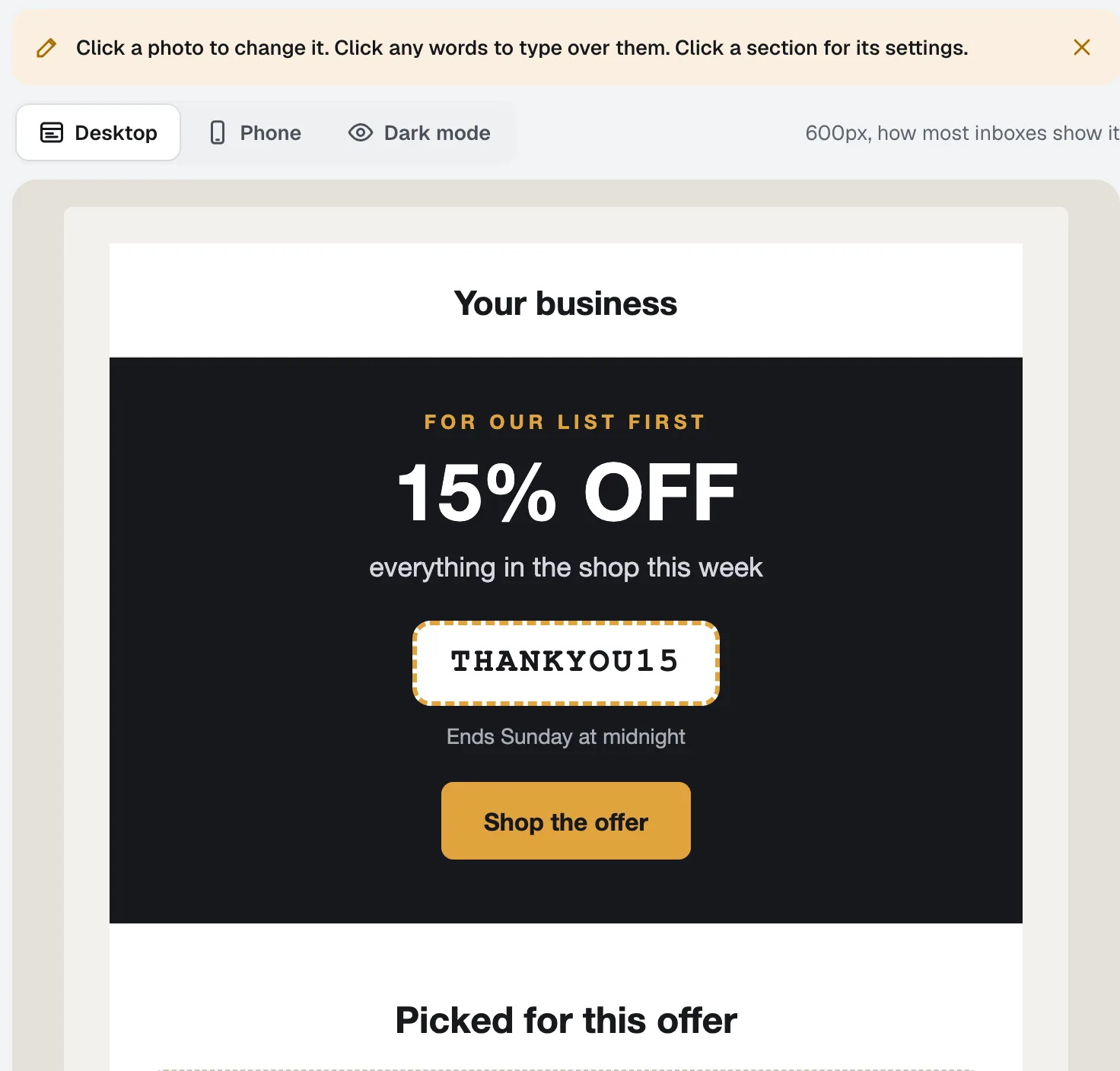
BetaEmail Studio is an email template builder you edit by clicking the email itself. Pick a goal, start from a layout in your brand colors, and let the assistant write it in your Brand Voice, then export the HTML or save it to your own Klaviyo as a template.
Use Live Chat today.
Make a free aiKit account and open Live Chat, plus every other tool in your kit.
Page last checked against the product on 2026-10-20.