

Printer’s HelperNew
Say what the file needs. Get a print-ready PDF and a proof.
Drop in a file or a logo and say it in plain words: add bleed, resize, check it, make a notepad. Printer’s Helper is print preflight software that makes the fix too: it builds the file to exact print numbers, shows what it changed, and sends a proof your customer approves.
Free account, no card. Already using aiKit? Log in to open Printer’s Helper
Printer’s Helper in short
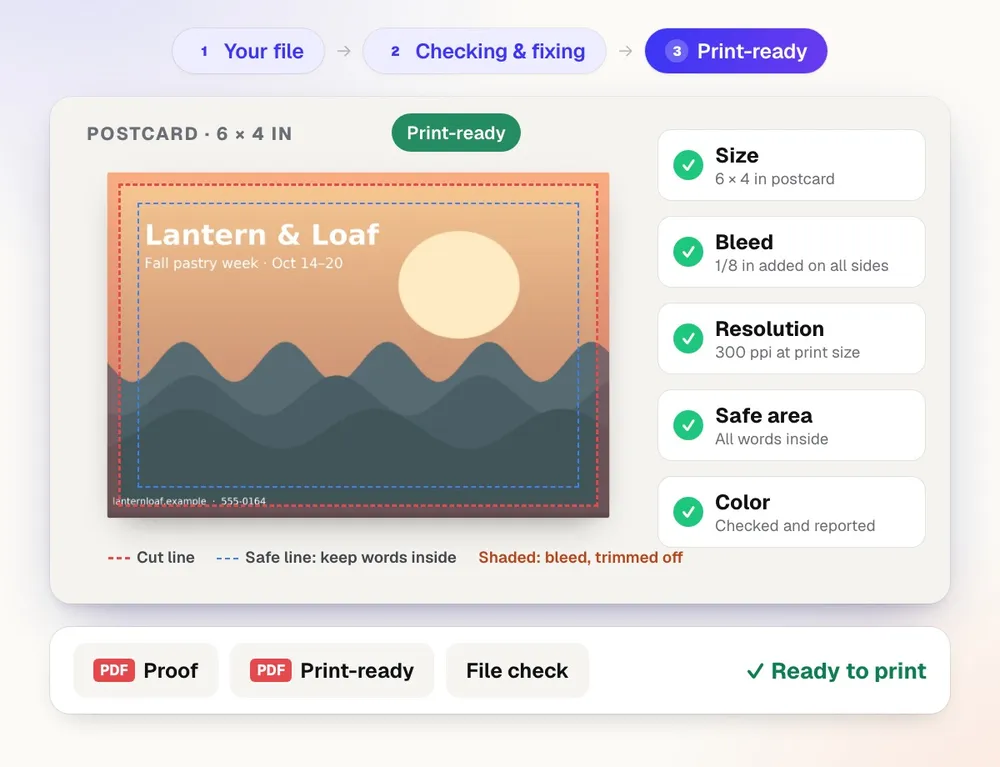
Printer's Helper makes, fixes and resizes print files when you say what you need: new pieces from a logo, templates, bleed and sizing, file checks and proofs. It is for print shops, designers and agencies who need a piece at an exact size. You get a print-ready PDF with print boxes set, a proof, and a plain list of what changed.
| What it makes | Print-ready PDFs with print boxes set, plus a proof and a file check |
|---|---|
| Who it is for | Print shops, designers and agencies, and owners who need a piece from a logo |
| Other formats | JPG, PNG, TIFF and more; two-sided pieces as front and back files or one ZIP |
| Honest checks | Low-resolution images and RGB color are reported, never quietly fixed |
| Your words only | It never invents text for your files |
| Price | Free to start with a monthly AI allowance, no card. Paid plans from $18.88 a month. |
| Runs in | Any web browser, nothing to install |
What you get
Make, fix, or resize files by saying what you need.
Keep every job organized
Add the client, company, job number or PO, due date, quantity, notes and any field of your own to a job. The job list searches and filters them, the proof and print files are named with them, and a small job line can print at the foot of the proof.
More creative art, with the cost shown first
On folders, flyers, posters, business cards, stickers, signs and banners, pick Standard or Better art. The tokens it will use show before anything runs, the pictures are drafts until you choose a layout and press Upscale to print size, which shows its tokens first, and your words and logo stay live and sharp on top.
Ask the way you'd ask a prepress tech
Type "add 1/8 in bleed to this business card" or "resize this postcard to 5 x 7 and keep the design." Shortcuts help, and you can also write the request in your own words.
Your customer's art is never redrawn
Every change is an exact print step: bleed from the art's own edge, art moved inside the safe area, PDF boxes set. Low resolution and RGB color are reported, never quietly changed.
A file check that shows its work
Each check lists what was measured, the rule, where on the page, and how to fix it. Press a fix and the new version shows the before and after, so a fix is proven, not claimed.
New pieces from a logo and a few words
Notepads in nine layouts, 13 ready NCR form templates, business cards in ten layouts, envelopes that match the letterhead. Only your words go on the piece; nothing is made up.
A proof your customer signs from a phone
Send any version as a private link. Your customer marks up the exact spot, ticks a checklist, and types their name to approve. No account needed on their side.
Your printer's numbers, not a guess
Pick our product line, industry standard, or a printer you saved with its own bleed, safe area, gripper, and templates. Every proof says which rules it used.
Front and back as separate files
Printers that take each side of a two-sided job as its own file get Download front and Download back, each print-ready with every PDF box at the full size including bleed, or both sides in one ZIP.
One request, one version, right where you're looking
The current proof is the center of the page with Download over it and the change box beside it. Each request makes one new version that replaces the view in place, and your own saved quick changes send full instructions in one tap.
Proofs from the right company
Run more than one shop or division? Pick which company each job is for before it starts. Its logo and contact lines go on the proof sheet, and it never borrows another company's brand.
Every feature
Everything in Printer’s Helper
The complete list, from the tool as it works today.
- A print-ready PDF with print boxes set, and a proof
- Two-sided pieces as separate front and back print files, or all in one ZIP
- Proofs from the company you pick for each job, with its logo and contact lines
- JPG, PNG, TIFF, and other copies the version can make
- A plain list of what changed and a file check
- Your own saved one-tap changes, each with full written instructions
- Uses your account's tokens; each job includes 5 changes after its first version, and a 6th change starts a new job
- More creative art for folders, flyers, business cards, stickers, signs and banners: pick Standard or Better quality, see the tokens before it runs, upscale only the picture you choose to print size, and see the tokens used on every result
- Job details on every job (client, company, job number or PO, due date, quantity, notes, your own fields) that the job list searches and filters, that name the proof and print files, and that can print as a line on the proof
What’s included
What you get with Printer’s Helper, and how it works with the rest of aiKit
Included with a free aiKit account
- Runs on your account's tokens, no card needed
- Each job includes 5 changes after its first version
- Up to 5 files per job, up to 60 MB each
- A proof, a print-ready PDF, a file check, and a list of what ran on every version
- Downloads such as PDF/X-4, JPG, PNG, TIFF, and every version in one ZIP
- A private approval link for your customer, with no account on their side
What uses AI, and what’s free
The AI that reads your request and builds each version runs inside your Printer’s Helper jobs and uses your account's tokens, the same tokens every aiKit AI tool uses. A job includes 5 changes. Reading the file check, downloading the files a version made, and sending the proof link need no AI.
Works with your other aiKit tools
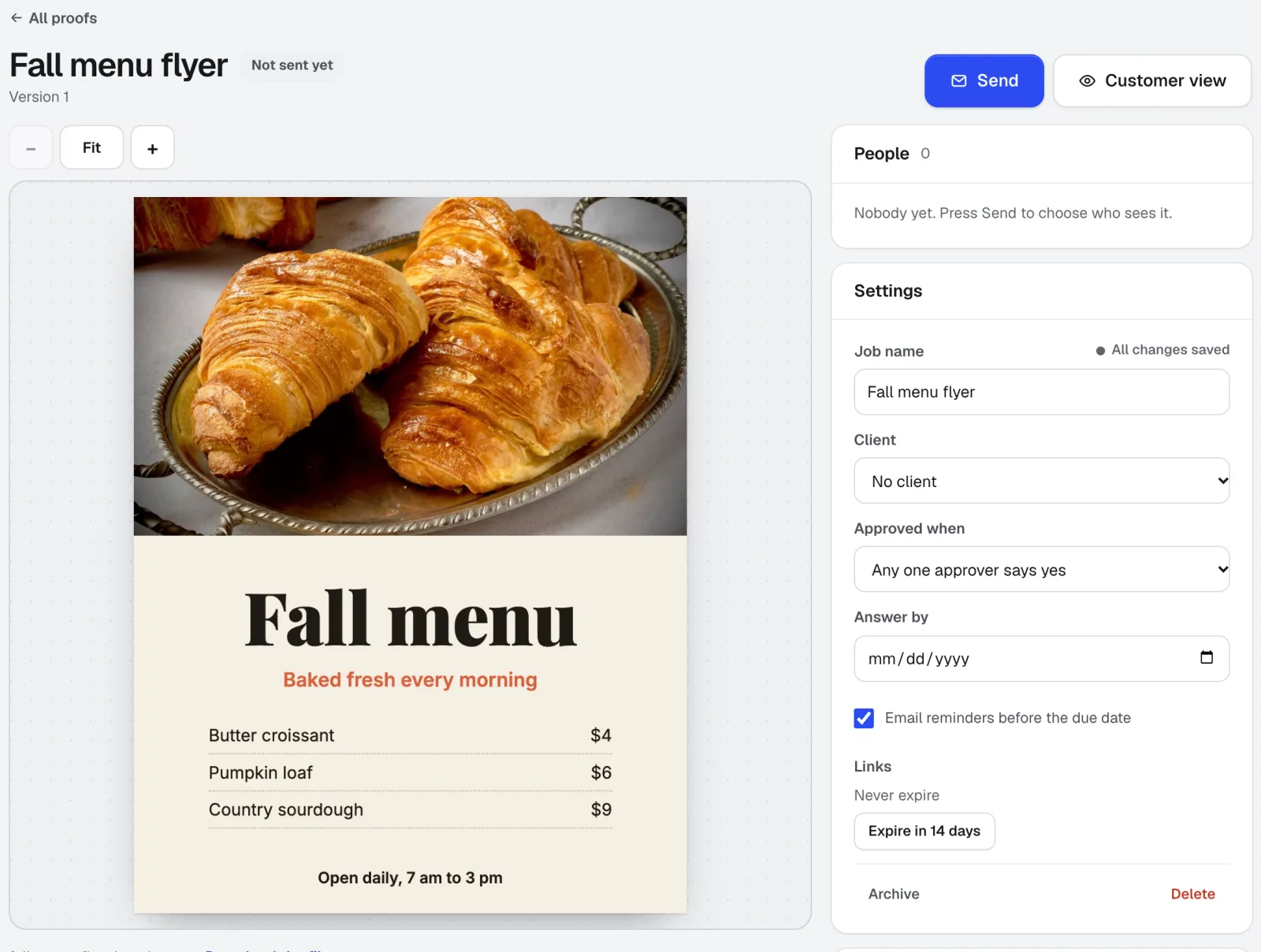
- Customer Proofs: Send any version as a proof; each person approves with their typed name.
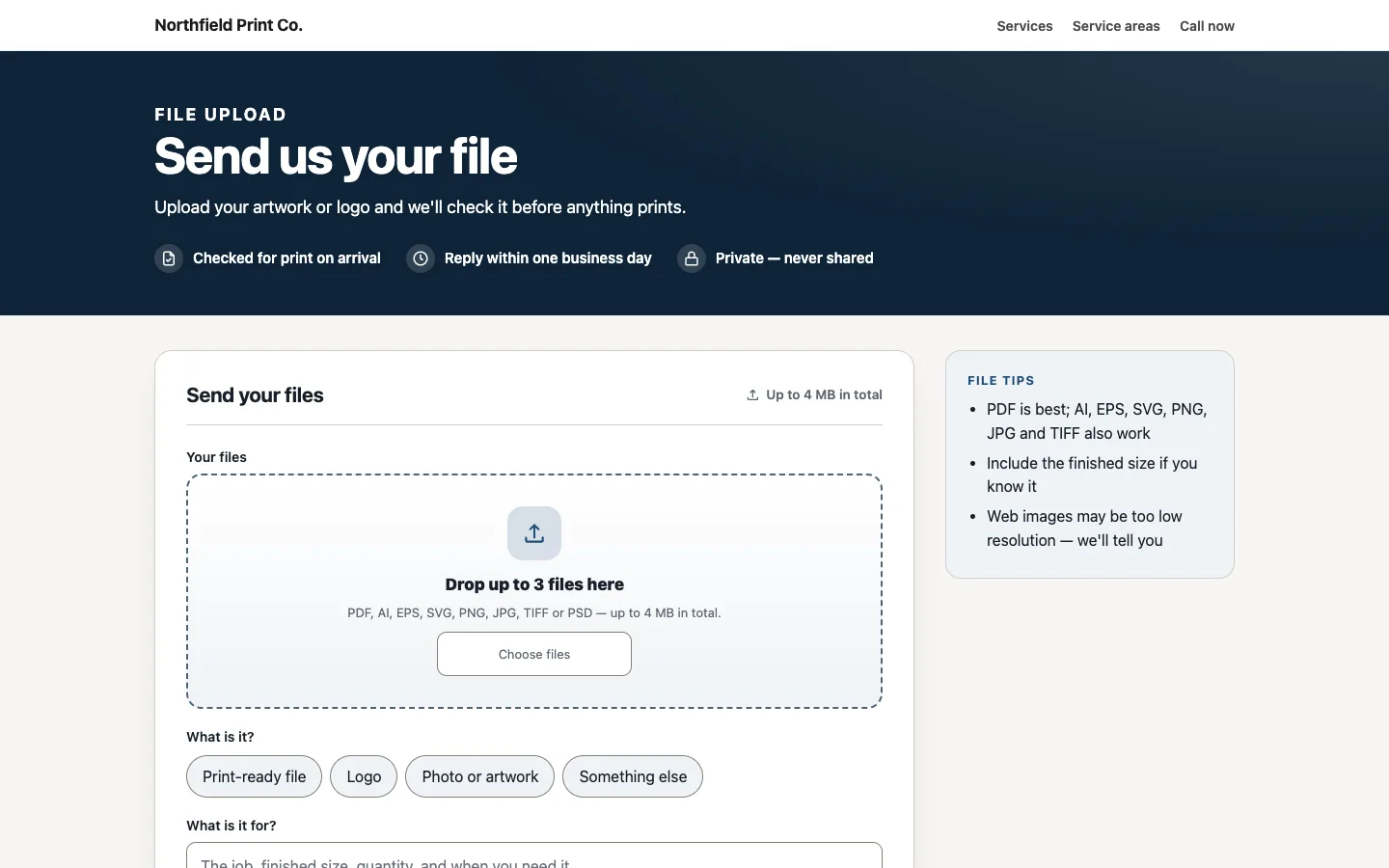
- Print file check on upload: Files checked on your website open here with Fix it in Printer’s Helper.
- Quote Studio: Shares your companies and logos, and spec-sheet quotes link to a print job.
- Graphics Library: Pick logos and photos for a new piece straight from your library.
- aiKit Hub: A Hub card can link a prepress job and show its live status.
Keep Printer’s Helper in any of your kits, next to the tools you use with it. One monthly AI allowance covers every tool you add.
How it works
From first click to finished, in 5 steps.
1. Drop a file or describe the piece
Add up to 5 files (PDF, AI, EPS, SVG, Word, Publisher, TIFF, PSD, PNG, JPG, HEIC, and more, up to 60 MB each), or pick a product and add your logo.
2. Say what it needs
Type or speak the request. Drop a file with no words, or just "fix this", and it says what it plans to do and asks before it starts. If something that changes the file is missing, like the sticker size, it asks one question at a time.
3. Check the version it makes
You get a proof with the cut and safe lines, the print-ready PDF, a step-by-step list of what ran, and a file check.
4. Ask for changes in plain words
"Make the logo a little bigger." The box sits right beside the proof, and each request makes exactly one new version, shown in the same place. Save your own one-tap changes with as much detail as you like. Earlier versions are one pick away.
5. Send the proof and download the files
Download print file sits right over the proof. Send for approval opens a drawer to email the proof or copy the link. Also get a proof PDF or PNG, PDF/X-4, JPG, PNG, TIFF, or every version in one ZIP.
Who it’s for
How different businesses use Printer’s Helper
Fix a morning's worth of customer files
Harbor Line Print Co. gets six postcards with no bleed and one flyer with crop marks. Each goes in with one line, "add 1/8 in bleed" or "remove crop marks," and comes back as a print-ready PDF with a file check and a proof link.
Work-order forms from a logo
A heating and cooling company needs 3-part work orders numbered from 1001. The HVAC form template comes with the trade's fields and checklist, the glued edge kept clear, and an FPO file showing the printer where the numbers go.
One design, every size the client asked for
An agency resizes a client's event flyer to letter, half-letter, and 5 x 7, then checks each against the printer's saved bleed and safe area before sending one proof for sign-off.
Notepads and stickers from the shop logo
Maple Street Bakery wants logo notepads and 2 in round stickers. The notepad comes in nine layouts to pick from; the sticker comes with its cut line as its own file.
Yard signs and rack cards ready for the printer
A brokerage sets up yard signs and 4 x 9 rack cards at the printer's exact sizes, with the safe area marked, and gets a proof the agent approves from a phone.
Numbered raffle tickets for a fundraiser
An event team sets up raffle tickets with a stub and a perforation line. The press adds the numbers, and the FPO file shows exactly where they print.
Ideal for
- Designers and agencies who need a piece made, fixed, or resized to an exact size
- Print shops fixing customer files every day
- Business owners who need a notepad, envelope, or sticker from a logo
Good to know
- Not for: Illustration or photo retouching; it never redraws art
- Not for: Making a blurry image sharp
- The AI can misread a file or a request. Always check the proof before it prints.
- Words come only from you; it never invents text for your files.
- Low-resolution images and RGB color are reported, never quietly fixed. Photos print in full color (CMYK), not as PMS plates.
- Custom die cuts are approximate until your printer confirms them.
- More creative art comes in Standard and Better; Better uses about twice the tokens, and the cost is shown before it runs.
Good to know
Before you use Printer’s Helper
Check before you print. Colors on screen will not match print, and sizes, bleed, resolution, spelling, and cut lines can be wrong. Open the file at actual size, read every word, and approve your printer's own proof first. aiKit cannot guarantee how it prints.
Questions
Printer’s Helper: questions people ask
Can I keep a job number and client name with each job?
Can Printer’s Helper design the artwork, and what do Standard and Better mean?
How do I make a customer's logo print-ready?
Can AI resize a print file without stretching the design?
Can Printer’s Helper open Word, Publisher, or CorelDRAW files?
What is the best print preflight software for a print shop?
Can I preflight a PDF online without installing software?
What's included with Printer’s Helper on a free aiKit account?
Does Printer’s Helper work with Customer Proofs, Quote Studio, and the Hub?
Can Printer’s Helper fix files customers upload on my website?
Do I still need to check a print file that Printer's Helper made?
Why does my Printer's Helper design say it used simple shapes?
Is there a free AI prepress tool for print shops?
What happened to Prepress Studio in aiKit?
How does Printer’s Helper show a job that makes many files, like a PDF split into 26 posters?
Works well with
Tools to add to the same kit
Customer Proofs
No account needed for customersCustomer Proofs is online proofing software for any design, web page, video, or sound file. Send it to one or more people; each gets a private link to pin comments on the exact spot and approve with a checklist and their typed name. No account on their side.
Print file check on upload
aiKit's print file checker reads every file sent through your aiKit website's Send us your file page as it arrives: size, bleed, resolution, fonts, and colors. Fix it in Printer’s Helper is one click away.
Quote Studio
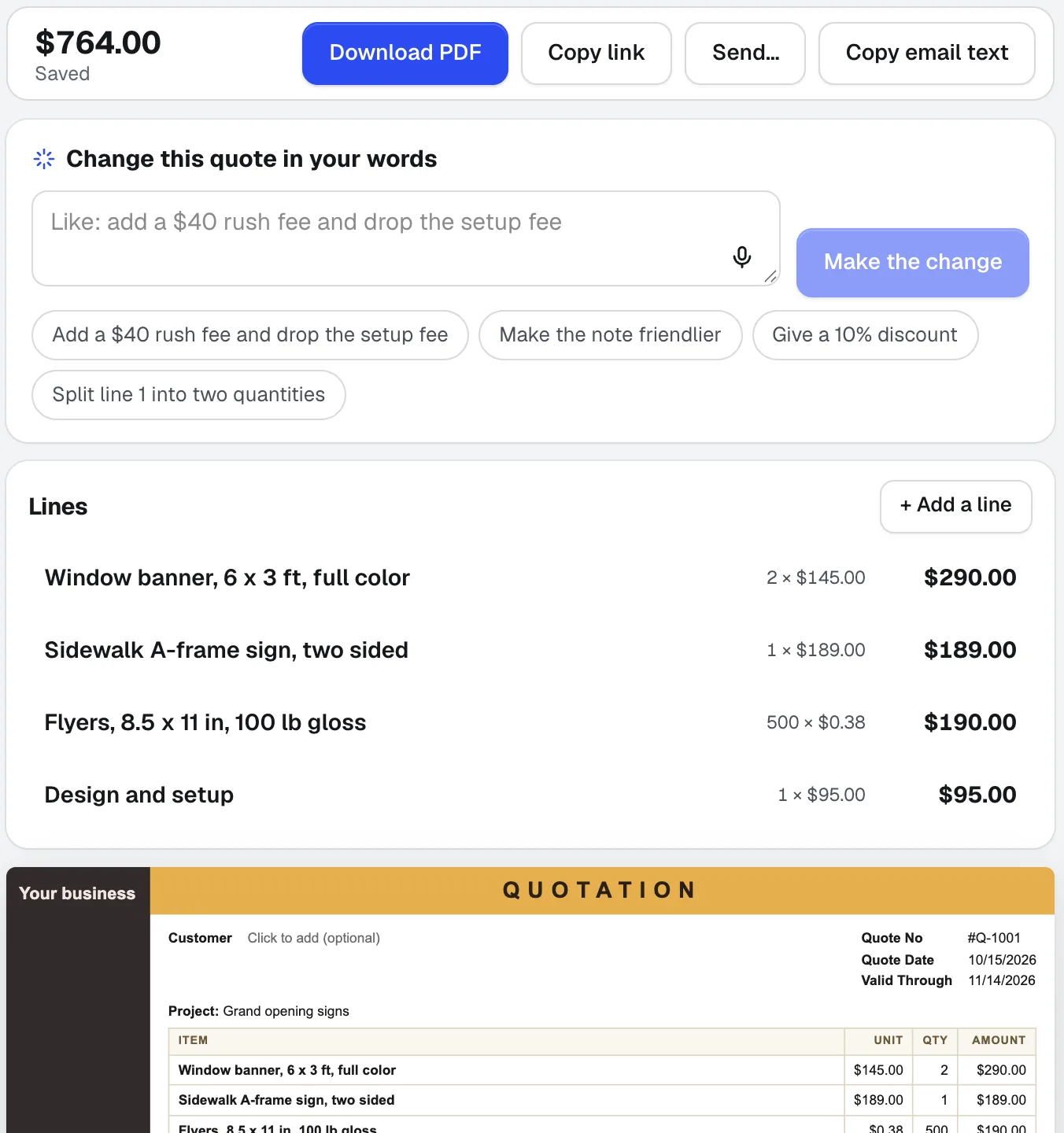
NewPaste a customer's email, dictate the job, or add a photo of a handwritten list. Quote Studio is quoting software that drafts a one-page quote using only your own prices, then you download the PDF or send a live page your customer accepts online.
Use Printer’s Helper today.
Make a free aiKit account and open Printer’s Helper, plus every other tool in your kit.
Page last checked against the product on 2026-10-26.