

Clip StudioNew
Turn one long video into short, captioned clips in every size
Clip Studio is an AI clip maker for podcasts, interviews, ad shoots, sermons and music videos up to 2 hours long. Say what you want in plain words, check the Clip Plan, and get every clip in 9:16, 1:1, 4:5 and 16:9.
Free account, no card. Already using aiKit? Log in to open Clip Studio
What you get
Turn long videos into short, captioned clips.
Every version from one sentence
Type or say "3 vertical 30-second clips for TikTok and 1 square 60-second clip for LinkedIn with my logo". Each version gets its own size, length, captions and logo, from the same instruction.
The speaker stays in frame
A wide shot becomes a tall clip with framing that follows whoever is talking. For groups, slides or tours, keep the middle, show the whole picture, or set it on a soft background.
Captions and your brand on every clip
Word-by-word captions in 7 looks, in your Brand Kit's font and colors. Add your logo in the corner, a short title at the start, and an end card with your line and call to action.
Cut to your own song
Add a song, or bring one in from Music Maker or Voice Kit. The music dips under speech, cuts can land on the beat, and music-video mode cuts performance footage to the song.

See the Clip Plan before anything is made
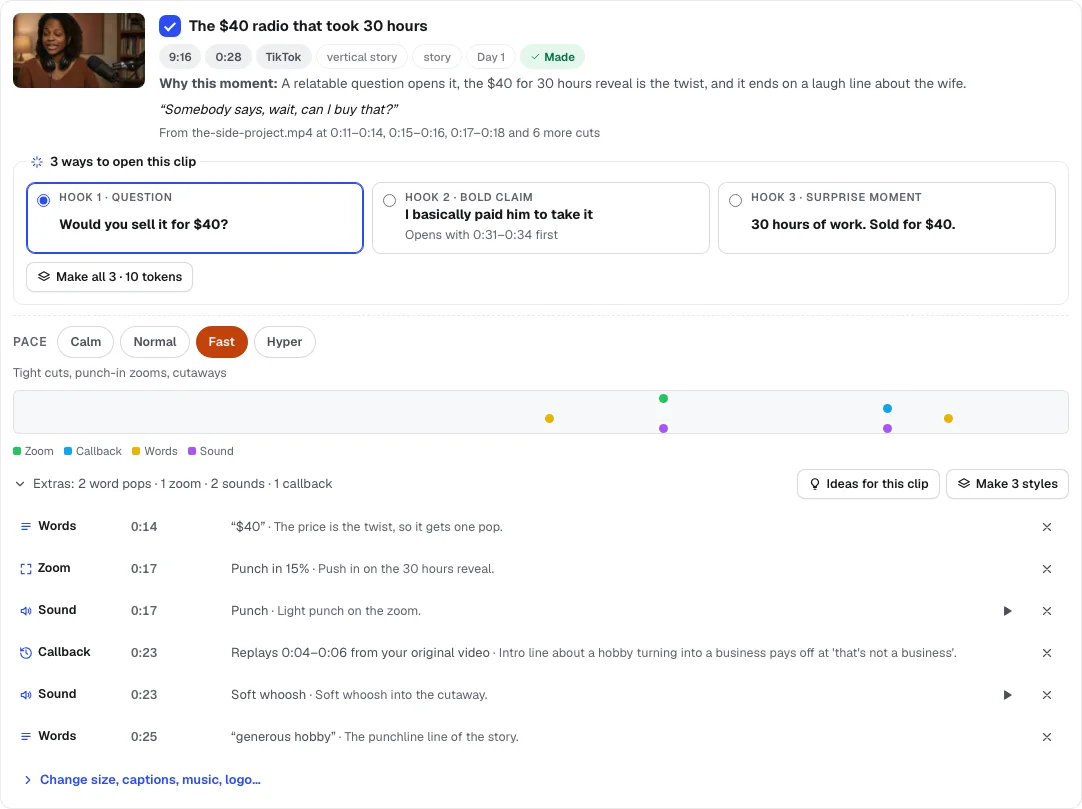
Clip Studio reads the whole video first: every word, laugh, loud moment, scene change and beat. Then it lists each clip with the moment it comes from, why it was picked, its opening line, size and length. Change, remove or copy clips, then press Make clips.
Moments picked the way an editor would
Clips are picked to open on a strong line, keep a question with its answer and end on a full thought. Cuts snap to the edges of words, so no word is chopped in half, and ums and long pauses come out.

3 openings for every clip, and a search for any moment
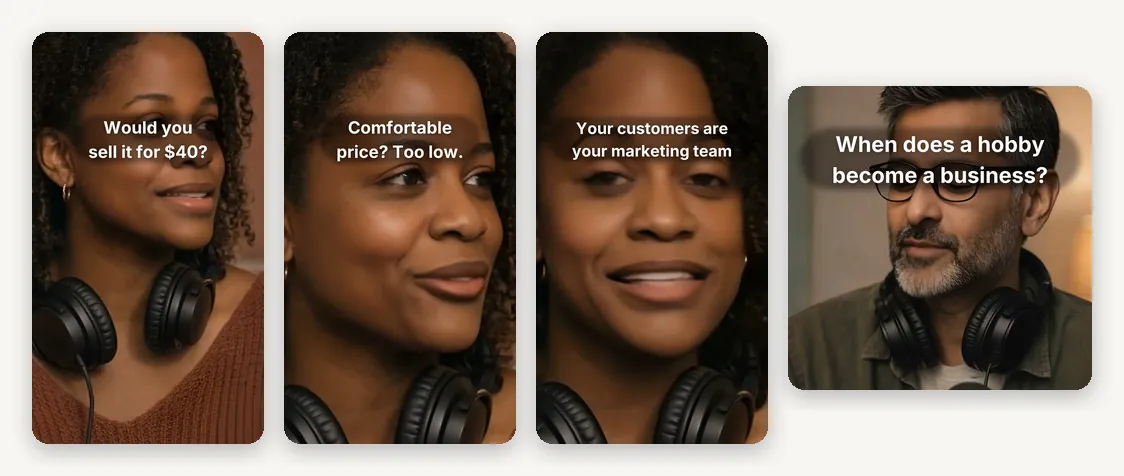
Each clip comes with 3 ways to open it: a question, a bold claim or a surprise moment. Pick one or make all 3 to compare. Ask your video finds any moment in plain words, like "where she talks about pricing", and turns it into a clip.
Your voice, and every platform in one step
Record a voice-over with your mic, pick one from Voice Kit, or type it and a voice reads it. Then make any finished clip again for TikTok, Reels and Shorts, the Instagram feed, LinkedIn and YouTube, each in its own size, length and caption style.

Fast-cut edits that aren't cheesy
A pace dial on every clip, from calm to hyper. Faster paces trim every pause and add punch-in zooms, callbacks to earlier lines, free stock cutaways, original reaction clips, pop-up words and the sound effects you pick. A boredom finder marks where viewers may scroll away, with one-click fixes.
Series, campaigns and a posting order
For bigger projects it plans a series with a matching look, or a campaign from teaser to call to action, and gives each clip a posting day. Chapters and show notes come ready to paste.
Every feature
Everything in Clip Studio
The complete list, from the tool as it works today.
- Drop in up to 12 videos per project, up to 2 hours (about 5 GB) each, in MP4, MOV, M4V, WebM, MKV, AVI and more, or podcast audio; uploads carry on after a dropped connection
- One instruction for everything, typed or spoken, with different specs per version: "3 vertical 30-second clips for TikTok and 1 square 60-second clip with my logo"
- A Clip Plan before anything is made: every clip shows its moment, why it was picked, its opening line, size and length; change it by hand, remove clips or copy them into other sizes for free
- Every request in your instruction listed as done or not done yet, with the reason
- Moments picked the way an editor would: a strong opening, a question kept with its answer, an ending on a full thought, and cuts that never land inside a word
- 14 kinds of project (podcast, interview, commercial, music video, talk, sermon, property tour, course, gaming, kids and family, event, product demo, fitness, restaurant reel), or Let it decide
- Framing that follows whoever is talking, in 9:16, 1:1, 4:5 and 16:9
- Animated word-by-word captions in 7 looks with your Brand Kit's colors and font
- Your own songs per project (or from Music Maker or Voice Kit), dipping under speech, with cuts on the beat and a music-video mode
- Ads with an opening title and an end card with your line and call to action; your logo in the corner
See every feature (32)
- Pauses and ums cut out; every clip leveled for social loudness
- Clips made in the cloud, appearing one by one while they're made, so you can leave the page
- Change any clip in plain words (3 changes per clip included), then rate it
- Send for approval: your client watches each clip, comments at the exact second and approves, with every round kept as a version to compare
- How many clips: let AI decide, or pick a number
- 3 different openings for every clip (a question, a bold claim or a surprise moment): pick one, or make all 3 to compare
- Ask your video: search everything that was said in plain words and turn any moment into a clip
- Paste viewer comments or reviews and the plan clips the moments people reacted to
- A voice-over on your clips: record it with your mic, pick one from Voice Kit, or type it and a voice reads it
- One clip made for every platform in one step: TikTok, Reels and Shorts, Instagram and Facebook feed, LinkedIn and YouTube
- Edit the chapters, show notes and posting order, then copy them
- A pace dial on every clip (Calm, Normal, Fast, Hyper) for fast-cut edits: tighter cuts, punch-in zooms, callbacks to earlier lines in the same video, free business-licensed stock cutaways, original reaction clips, key words and emoji that pop, and only the sound effects you pick
- Editing styles for the whole project: documentary, podcast highlight, storytime, hype edit or tutorial
- A boredom finder that marks where viewers may scroll away (long pauses, low energy, nothing changing on screen), with one-click cut or fix
- Ideas for this clip: specific changes like "cut back to the laugh at 12:40", applied in one click
- Make any clip 3 ways at once (calm, fast and hyper) and keep the best
- Your own B-roll: add your footage or photos and fast clips cut to them at the right moment
- Learns from you: your ratings and the changes you ask for shape your next plans
- Dub any clip into one of 15 languages in a voice you pick, with captions in that language
- MP4, MOV, WebM and GIF (a GIF shows the first 15 seconds), up to 4K on paid plans, covers in 5 sizes for every clip, SRT and WebVTT caption files, and everything in one zip
- Series and campaigns planned across several videos, with chapters, show notes and a posting order by day, ready to paste
- Send clips on to Video Kit, Audio Kit, Motion Maker, Email Studio or your Graphics Library; Scene Studio, Avatar Studio, the Graphics Library, Music Maker, Voice Kit and Audio Kit send work in
What’s included
What you get with Clip Studio, and how it works with the rest of aiKit
Included with a free aiKit account
- Clip Studio with every setting: the Clip Plan, sizes, framing, captions, music, logo, opening title and end card
- 3 clips a month on the free plan, from videos up to 15 minutes, at 720p, with a small aiKit ∞ mark
- On paid plans: videos up to 2 hours each, up to 4K, no mark
- Up to 12 videos per project and up to 60 clips in a plan
- MP4, MOV, WebM and GIF files, covers in 5 sizes, SRT and WebVTT caption files, and a zip of everything
- Chapters, show notes and a posting order, ready to paste
- Originals kept 30 days on the free plan and 90 days on paid plans; finished clips kept a year
What uses AI, and what’s free
Reading a video uses 20 tokens an hour of video (rounded up, at least 2 a video), once, when the reading finishes. Each finished clip uses 5 tokens, once. Making the plan and changing it by hand is free; 3 changes to the plan in words are included per project, then 2 tokens each. Each clip includes 3 changes in plain words, then 5 tokens a change. Making an already-made clip again, downloading and the zip use no tokens.
Works with your other aiKit tools
- Music Maker: Pick a Music Maker song for a project, or press Cut a video to this song in Music Maker, and clips can cut on its beat.
- Voice Kit: A Voice Kit read can join a project as its sound, picked from the same music list.
- Video Kit: A finished clip opens in Video Kit to add a voiceover or more music.
- Audio Kit: A finished clip opens in Audio Kit to clean up the sound, and Audio Kit's sounds can join a project's music.
- Scene Studio: A Scene Studio video starts a Clip Studio project with Cut into clips in Clip Studio.
- Avatar Studio: An Avatar Studio video starts a Clip Studio project the same way.
- Graphics Library: Save any finished clip to your Graphics Library, and send any video in the Library to Clip Studio.
- Vectorize Kit: The brand kits you saved in Vectorize Kit set the caption colors and font and add the logo.
Keep Clip Studio in any of your kits, next to the tools you use with it. One monthly AI allowance covers every tool you add.
How it works
From first click to finished, in 5 steps.
1. Drop in your videos
Add one video or up to 12 per project, up to 2 hours (about 5 GB) each: MP4, MOV, M4V, WebM, MKV, AVI and more, or MP3, WAV and M4A podcast audio. Uploads go straight to the cloud and carry on after a dropped connection.
2. Say what you want
Pick the kind of video (podcast, commercial, sermon, property tour and 10 more) or Let it decide. Type or say how many clips, which sizes, how long and what style. Add your song, your logo or a Brand Kit.
3. Check the Clip Plan
Press Make a plan and watch it form: what it found, the story, and one card per clip with why it was picked. Change any size, caption, music, logo or end card by hand, or describe a change in words.
4. Watch the clips get made
Press Make clips. Each clip is made in the cloud and its card fills in as it goes, with the real step it is on. You can leave the page; they keep going.
5. Change, download, send on
Change a clip in plain words ("start one sentence earlier") and it is made again. Download MP4, MOV, WebM or GIF, covers in 5 sizes and caption files, or everything in one zip, and send clips on to Video Kit, Audio Kit or your Graphics Library.
Who it’s for
How different businesses use Clip Studio
 Creators, coaches & consultants
A week of posts from one podcast episode
The hosts of Gearbox Hour, an invented podcast about running an auto repair shop, drop in a 1-hour episode. They ask for 8 vertical clips with bold captions that follow whoever is talking, and get chapters and show notes for the episode page too.
 Trades & service businesses
A 15, a 30 and a 60-second ad from one shoot
The owner of Juniper Ridge Solar, an invented installer, films a 20-minute customer story. One instruction asks for three ads with a hook in the first 2 seconds, the logo in the corner and an end card that says "Book a free roof check".
 Marketing & agencies
Every client's footage, every platform
A marketing agency drops in a client's webinar and asks for 3 TikToks, 2 square LinkedIn clips and a 90-second highlight reel. Each version picks up the client's Brand Kit font and colors, and the plan gives every clip a posting day.
 Creators, coaches & consultants
Teasers cut on the beat of the song
Tessa Vale, an invented singer-songwriter, adds her live set and the studio track. Clip Studio makes three 20-second vertical teasers from the chorus, with cuts that land on the beat.
 Events, lighting & AV
Sunday's message, ready for the week
The media team at Cedar Hollow Church, an invented church, drops in the 45-minute service. They get the 5 strongest moments of the message as vertical clips with clean captions, plus a 90-second recap and chapters for the website.
 Education & training
One tip per clip from a coaching call
Marisol Pike, an invented leadership coach, records a 50-minute group session. She asks for one tip per clip, 30 to 45 seconds each, and a 90-second trailer for her course with a call to action at the end.
 Real estate
A listing tour in every size
An agent at the invented Lakeview Key Realty walks through a home on video. Clip Studio cuts a 30-second vertical tour with calm music and the address on the end card, one short clip per room, and a 60-second wide version for the listing page.
 Events, lighting & AV
A family celebration, short enough to share
The invented Okafor family films a 50th anniversary party. They add the couple's favorite song and get a 60-second highlight cut on its beat, plus the best lines from the toasts as short clips for the family group chat.
Ideal for
- Podcasters and interviewers who want the best moments as captioned vertical clips every week
- Owners and marketers cutting 15, 30 and 60-second ads from one shoot
- Musicians cutting performance footage to their own song
- Speakers, coaches, churches and trainers turning a talk into a week of posts
Good to know
- Not for: Editing one short video by hand, frame by frame (use Video Kit)
- Not for: Animated promos from photos (use Motion Maker)
- Not for: Making new footage from words (use Scene Studio)
- Reading a video uses 20 tokens an hour of video (rounded up, at least 2 a video); each finished clip uses 5 tokens. Making the plan and changing it by hand is free; 3 plan changes in words per project are included, then 2 tokens each. Each clip includes 3 changes in plain words, then 5 tokens a change.
- Free plan: 3 clips a month from videos up to 15 minutes, at 720p, with a small aiKit ∞ mark.
- Originals are kept 30 days on Free and 90 days on paid plans; finished clips are kept a year.
- Speaker framing and the speaker letters are a best guess from faces and lip movement; check clips with several people talking at once.
- Captions come from speech-to-text and can mishear names; change a clip in plain words to fix them.
Questions
Clip Studio: questions people ask
Is there an AI clip maker that turns long videos into short clips?
Can I turn a podcast into vertical clips for TikTok, Reels and Shorts?
Can I make several versions of a clip for different platforms at once?
Can Clip Studio cut a music video on the beat of my song?
How do I get a client to approve my clips?
Can Clip Studio dub a clip into another language?
Does Clip Studio learn what I like?
Can I add my own B-roll in Clip Studio?
Can Clip Studio make fast-cut, high-energy edits?
Can Clip Studio add clips from movies or TV shows?
How does Clip Studio find the boring parts of a clip?
Can Clip Studio give me different openings for the same clip?
How do I find one moment in a long video with Clip Studio?
Can I add a voice-over to my clips in Clip Studio?
Can Clip Studio make one clip for every platform?
Works well with
Tools to add to the same kit
Video Kit
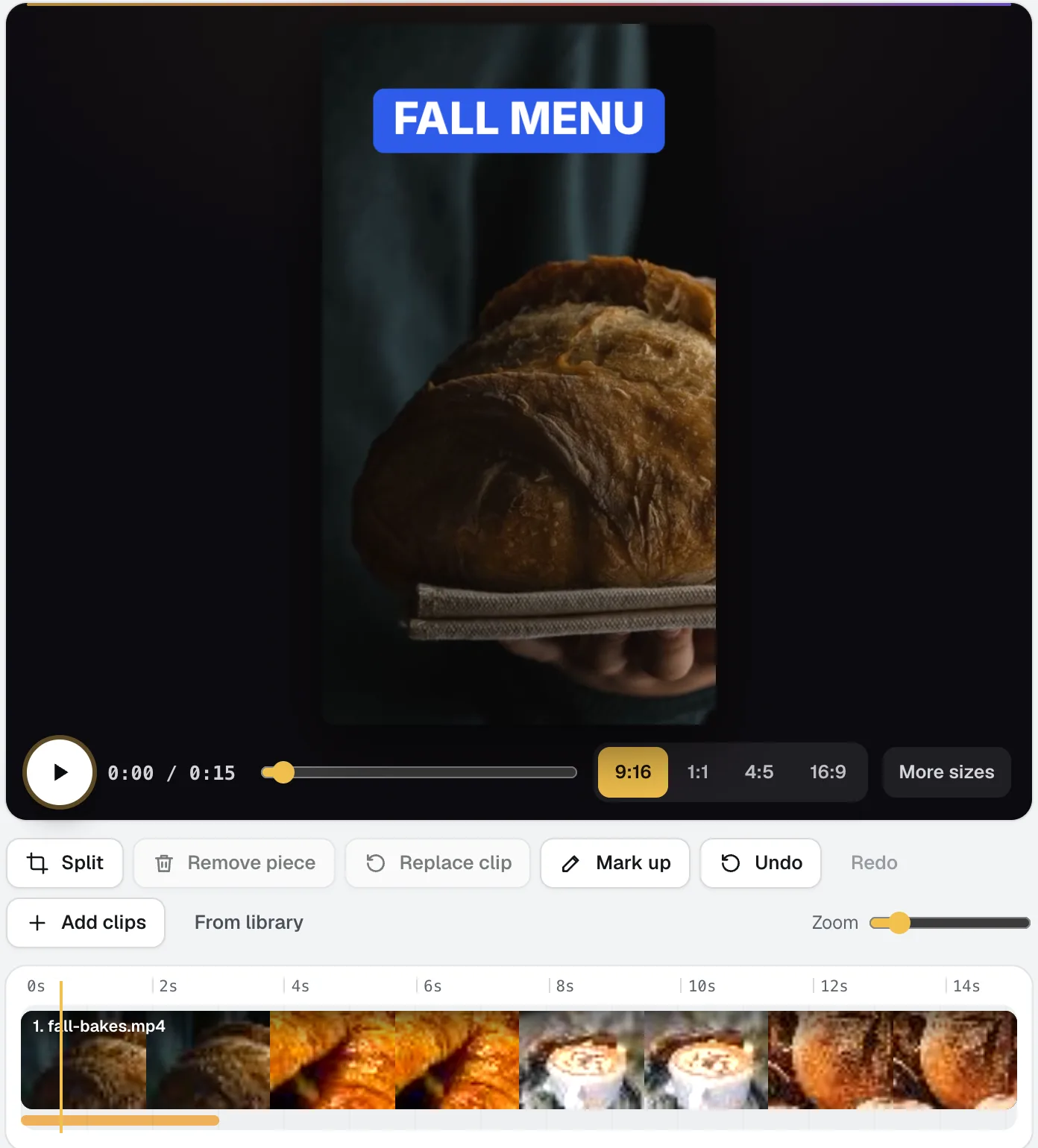
NewVideo Kit is an AI video editor for social media: drop in your clips and edit them like a document. Delete words to cut the video, remove pauses and ums in one pass, and Ask for changes in plain words. Captions, sizes, music and your logo are built in.
Music Maker
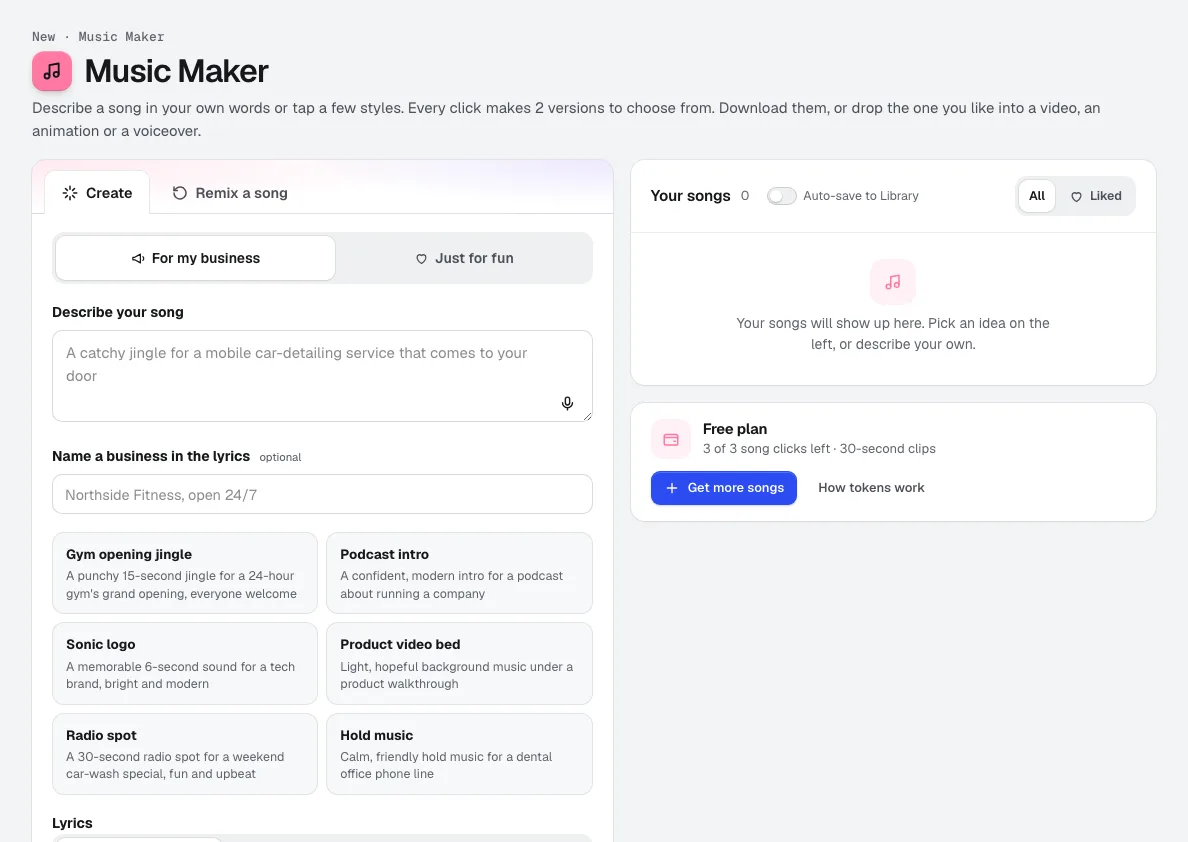
NewaiKit's AI music generator turns a description, or a few tapped styles, into 2 versions of an original song with AI-written lyrics, your lyrics, or no vocals. Cut it for an ad, send it for approval, or drop it under your video.
Audio Kit
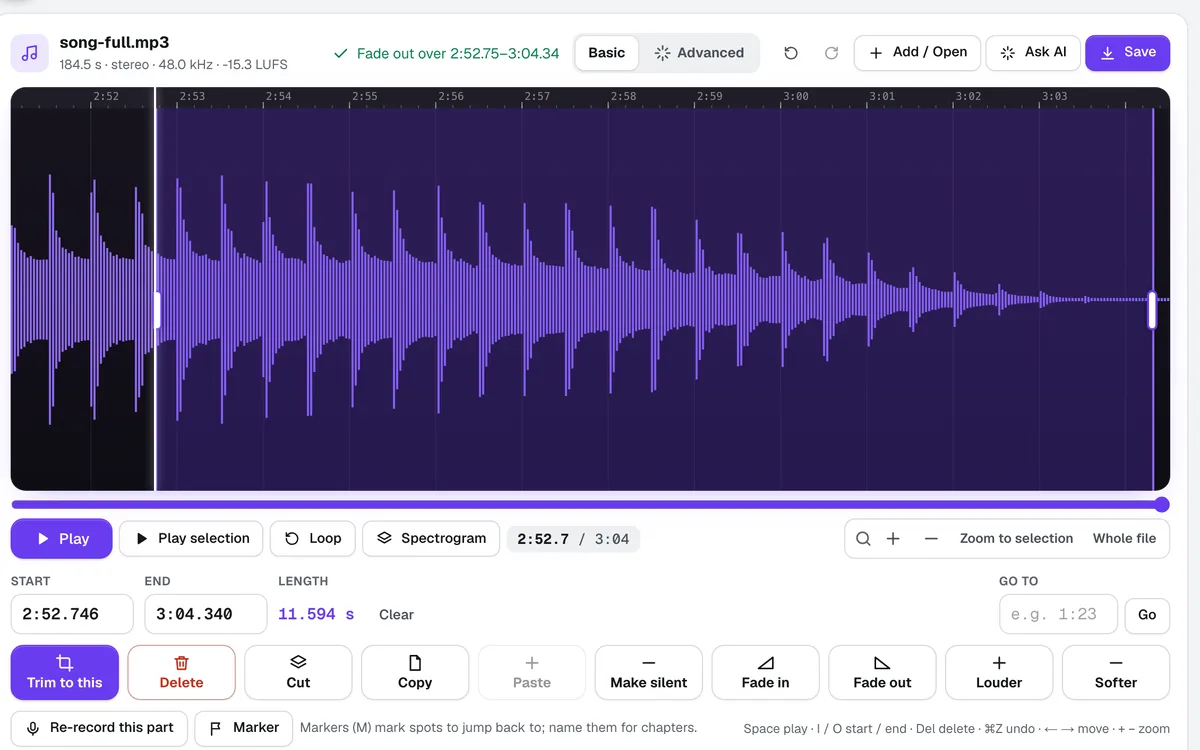
NewOpen any sound or the sound in a video, remove background noise, cut it by the waveform or by its words, level it for podcasts, and save it as MP3, WAV, M4A, FLAC, OGG or AIFF. Nothing to install, and your file never leaves your computer to be edited.
Use Clip Studio today.
Make a free aiKit account and open Clip Studio, plus every other tool in your kit.
Page last checked against the product on 2026-11-22.